Camera-Backed Recap
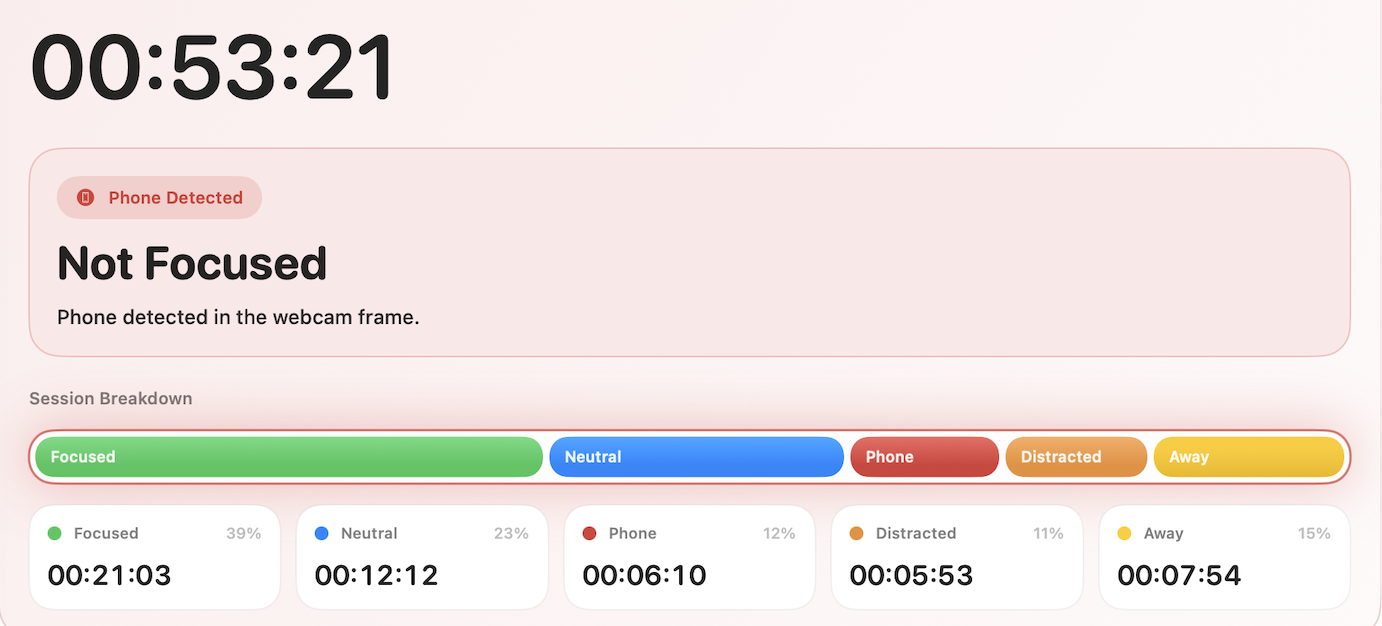
Look-aways, away time, and optional phone detection all show up in the same recap.
Look-aways show Away time shows Optional phone signal

Built for deliberate work on a Mac
Free during beta. Run an active Mac session, keep the sensitive record local, and review where focus held, drifted, or broke.
Free beta today: no account required, Apple-notarized direct download, and built for a paid personal software model instead of selling session data.
See focused stretches, distracting switches, step-aways, and camera-backed signals across the four session types.
Inspect first: Releases Browser behavior GitHub
Camera-Backed Recap
Look-aways, away time, and optional phone detection all show up in the same recap.
Free Beta, Clear Incentives
ActualFocus is free during beta because the real question is whether people trust the recap enough to complete sessions and come back. The intended business model is paid personal software, not an advertising or data-resale business.
The current build is free because real sessions, qualified installs, and blunt trust feedback matter more than charging today.
The intended model is paid personal software, not ads, employer monitoring, or selling session data.
You can inspect the release details and try the direct Mac download without creating an account first.
Session timelines, camera checks, app/site history, and detailed focus data are designed to stay on your Mac unless you export them.
Read the free beta FAQ Inspect the privacy boundary See who operates it
What a Session Reveals
You were working, you drifted, you stepped away, or you opened something distracting. A single session should make those shifts obvious without interpretation.
Just a timeline-based recap of what actually happened.
Challenges
Create a private challenge room, run a group study sprint, or share a verified solo session after someone asks you to study. ActualFocus keeps the sensitive record local and shares only the result summary.
Best Fit
ActualFocus is strongest when the session stays at your desk and fits one of the built-in session types: Screen Focus, Mixed Study, Strict Accountability, or Camera-less.
For sessions built around physical setup, moving around the room, or long stretches away from the desk, start with Camera-less or Mixed Study and judge the recap against the timeline.
How It Works
ActualFocus follows the app or site in front of you and can use camera tracking on your Mac to turn one session into a clear recap, whether you want Screen Focus, Mixed Study, Strict Accountability, or Camera-less.
Sessions are manual by default, so tracking begins when the work actually matters. The first session flow also helps you choose Screen Focus, Mixed Study, Strict Accountability, or Camera-less.
The app tracks the app or site in front of you and ignores background noise, so distraction shows up faster and fake productivity shows up less.
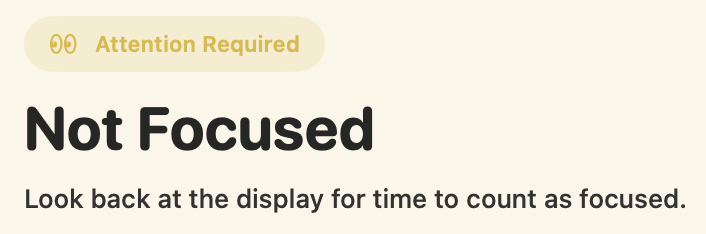
On-device camera tracking can confirm presence, catch look-aways, and optionally flag phone use. The session type decides whether attention is required and how quickly a negative camera check interrupts focus.
Camera Tracking
You do not need to leave your desk or grab your phone for focus to break. When camera tracking is on, look-aways and step-aways still show up in the record, and phone detection is there if you want that extra signal.
Why It Feels Credible
The point is simple: understand what creates the recap, what stays on device, why the app is Apple-notarized, and why it is built for self-review instead of surveillance.
Tracking only runs while a session is active. By default, you start it yourself.
The record follows the app or site in front of you, not background activity, so real work and real distractions show up faster.
Camera tracking runs on your Mac during a session. It can catch look-aways, step-aways, and optional phone use, and you can turn it off before any session starts.
Focused, distracted, away, and unknown states all point back to the timeline instead of a hidden score.
Inspect Before Install
If you want to verify the product before installing, these pages answer the legitimacy questions directly.
Inspect the current version, build, checksum, and published release record before you open the installer.
Read the literal Safari and Chrome behavior instead of guessing what the browser integrations do.
Inspect the public browser repository on GitHub, including the Safari and Chrome code paths.
See who operates ActualFocus and where the official support path lives.
Private by Design
Setup stays simple, and the app explains the first-session controls before tracking starts.
Next Step
Install it, run one real session, and decide whether the recap feels honest on your own Mac.